How to play a roleplay chat
Quinn holds the car door, Freya sits on the armrest, Inspector Lestrade rings the doorbell. Here is how to start a scene, what the buttons next to the input do, and why one detail in your line changes the whole reply.
Your first minute in a scene
Open a character: the first line of their story is already on screen. Your move.
- 1Pick someone to talk to
Browse the characters or take the “Who suits you” quiz if you can’t decide.
- 2Read the first line
Quinn tells you to duck from the cameras, Solveig stands in the doorway in a blizzard. That is the hook: answer it and the scene starts moving.
- 3Make your move
You can send a few first messages without signing in. Sign in with Google or Telegram and the chat is saved on every device.
- 4Set the pace
Write as much as you like, a line or a paragraph. The character replies in character and remembers what happened before.
One detail changes the whole reply
Characters latch onto what you give them. Say “hi” and you get small talk. Bring a detail and a story begins. Here are two moves answering the same first line from Quinn.
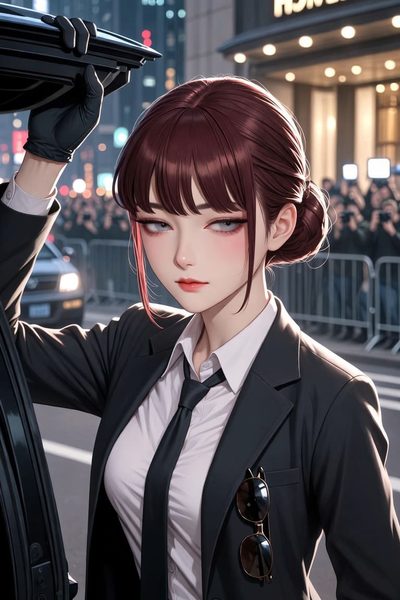 QuinnQuinn holds the car door, not looking at the camera flashes beyond the barrier. Get in. Head down, don’t look at the cameras. Voice even, without inflection. From today you go where I say and when I say. *Finally…
Hi. How are you?
Quinn will answer dryly. She has nothing to work with, and the scene has to start over.
I duck and get in, but spot the same photographer in the crowd who stood outside the hotel yesterday. Quinn, he has been following us for three days.
There is a threat, a detail and a question for her as a bodyguard. She has a job right away, and the story gets a plot.
Play this with Quinn →What the buttons next to the input do
- Continue
- The character moves the scene on without your line. Handy when you want to see where they take it.
- Reply style
- Shorter or longer, more feelings or more action. Change it mid-conversation.
- Twist
- An unexpected event: a knock at the door, a letter, a storm. Helps when the story stalls.
- Aa
- Font and text size: book, modern, typewriter or handwritten.
- Listen
- The character reads the line in their voice. The line glows while it plays.
- Memory
- What the character remembers about you. Ask them to remember something important: a name, a fear, a shared past.
- Reactions
- Hover a reply and add an emoji. The character sees it on the next turn.
Mini-game: which line is stronger?
Four scenes with two possible moves each. Pick the one that keeps the story going.
 FreyaA night flight. Freya sits on the armrest next to you and asks why you are not asleep.
If the scene gets stuck
- Add an event
- A knock, a phone call, sudden rain. Or press “Twist”.
- Ask about them
- Their past, a scar, what they fear. Characters love to tell stories.
- Change the place
- Go up to the roof, drive to the sea, go down to the cellar. A new place brings new details.
- Start over
- “New chat” on the character card restarts the scene from the first line. The old chat stays in “My chats”.
Pick a character and bring one detail into your first line.